> For the complete documentation index, see [llms.txt](https://psu-sis-team.gitbook.io/sis/llms.txt). Markdown versions of documentation pages are available by appending `.md` to page URLs; this page is available as [Markdown](https://psu-sis-team.gitbook.io/sis/study/calendar.md).

# ปฏิทินการศึกษา

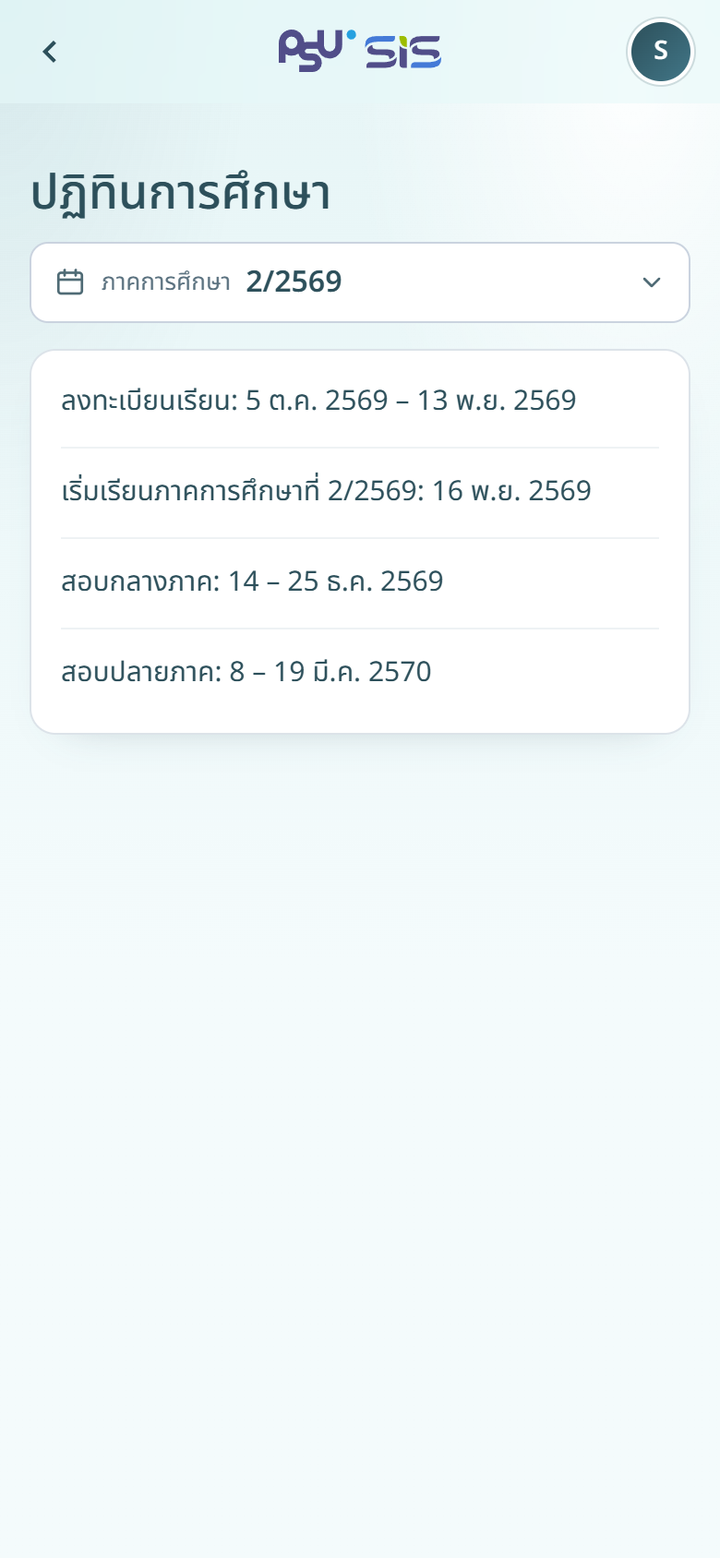
ดูวันสำคัญของภาคการศึกษา เช่น ช่วงลงทะเบียน วันเปิดภาคการศึกษา และช่วงสอบ

1. เปิดเมนู ☰ แล้วกด **ปฏิทินการศึกษา** หรือกด **ดูทั้งหมด** ที่การ์ดปฏิทินการศึกษาใน [หน้าหลัก](/sis/getting-started/home.md)
2. ระบบแสดงปฏิทินของภาคการศึกษาปัจจุบัน
3. หากต้องการดูภาคการศึกษาอื่น ให้กดช่อง **ภาคการศึกษา**

{% columns %}
{% column width="66%" %}
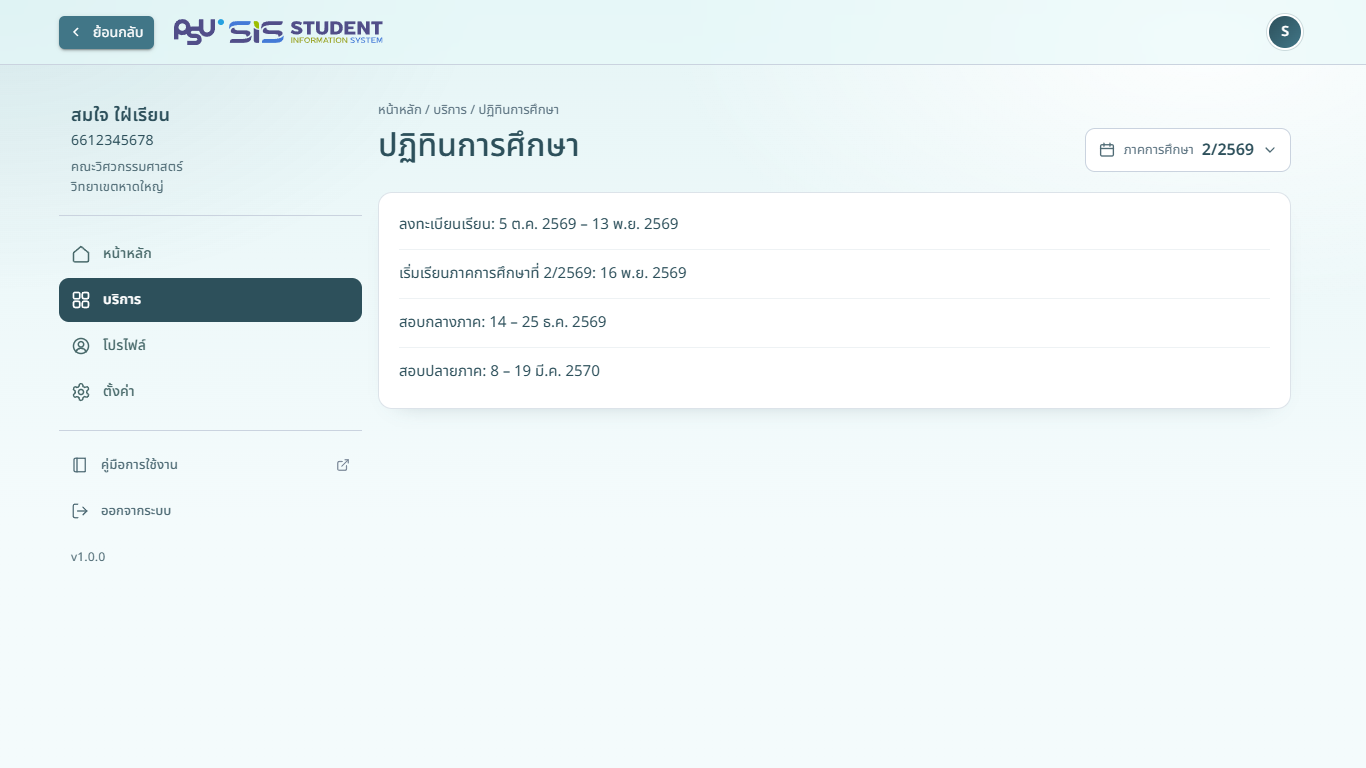
<figure><img src="https://208497195-files.gitbook.io/~/files/v0/b/gitbook-x-prod.appspot.com/o/spaces%2FCPXBzAGak03VHIZfeOz0%2Fuploads%2Fgit-blob-497818942791c0a0a3c86f64281129e67e64649c%2Fstudy-calendar-desktop.png?alt=media" alt="ปฏิทินการศึกษา"><figcaption><p>คอมพิวเตอร์</p></figcaption></figure>
{% endcolumn %}

{% column width="34%" %}

<figure><img src="https://208497195-files.gitbook.io/~/files/v0/b/gitbook-x-prod.appspot.com/o/spaces%2FCPXBzAGak03VHIZfeOz0%2Fuploads%2Fgit-blob-1d981f34d886ad8b6f17eae7ed39a4d879f2fc43%2Fstudy-calendar.png?alt=media" alt="ปฏิทินการศึกษา"><figcaption><p>มือถือ</p></figcaption></figure>
{% endcolumn %}
{% endcolumns %}

ปฏิทินแสดงเป็นรายการวันที่ บางภาคการศึกษามีรูปภาพปฏิทินที่มหาวิทยาลัยเผยแพร่ด้วย

{% hint style="info" %}
การ์ดปฏิทินการศึกษาในหน้าหลักแสดงเฉพาะช่วงเวลาสำคัญในขณะนี้ เช่น **ช่วงลงทะเบียนเรียน** พร้อมวันที่ **เริ่ม** และ **สิ้นสุด**
{% endhint %}

หากมหาวิทยาลัยยังไม่เผยแพร่ปฏิทินของภาคการศึกษาที่เลือก หน้าจอแสดง **ยังไม่มีปฏิทินการศึกษา**