> For the complete documentation index, see [llms.txt](https://psu-sis-team.gitbook.io/sis/llms.txt). Markdown versions of documentation pages are available by appending `.md` to page URLs; this page is available as [Markdown](https://psu-sis-team.gitbook.io/sis/services/library.md).
# รายการค้างชำระห้องสมุด
ดูหนังสือที่ยังไม่ได้ส่งคืนและยอดเงินที่ค้างชำระกับห้องสมุดของมหาวิทยาลัย
1. เปิดเมนู ☰ แล้วกด **รายการค้างชำระทรัพยากรห้องสมุด**
2. ระบบแสดง 2 ตาราง
* **รายการหนังสือค้างส่ง** แสดงชื่อ **ห้องสมุด** และ **จำนวนเล่ม** ที่ยังไม่ได้ส่งคืน
* **รายการหนี้ค้างชำระ** แสดงชื่อ **ห้องสมุด** และ **จำนวนเงิน (บาท)** ที่ต้องชำระ
{% columns %}
{% column width="66%" %}
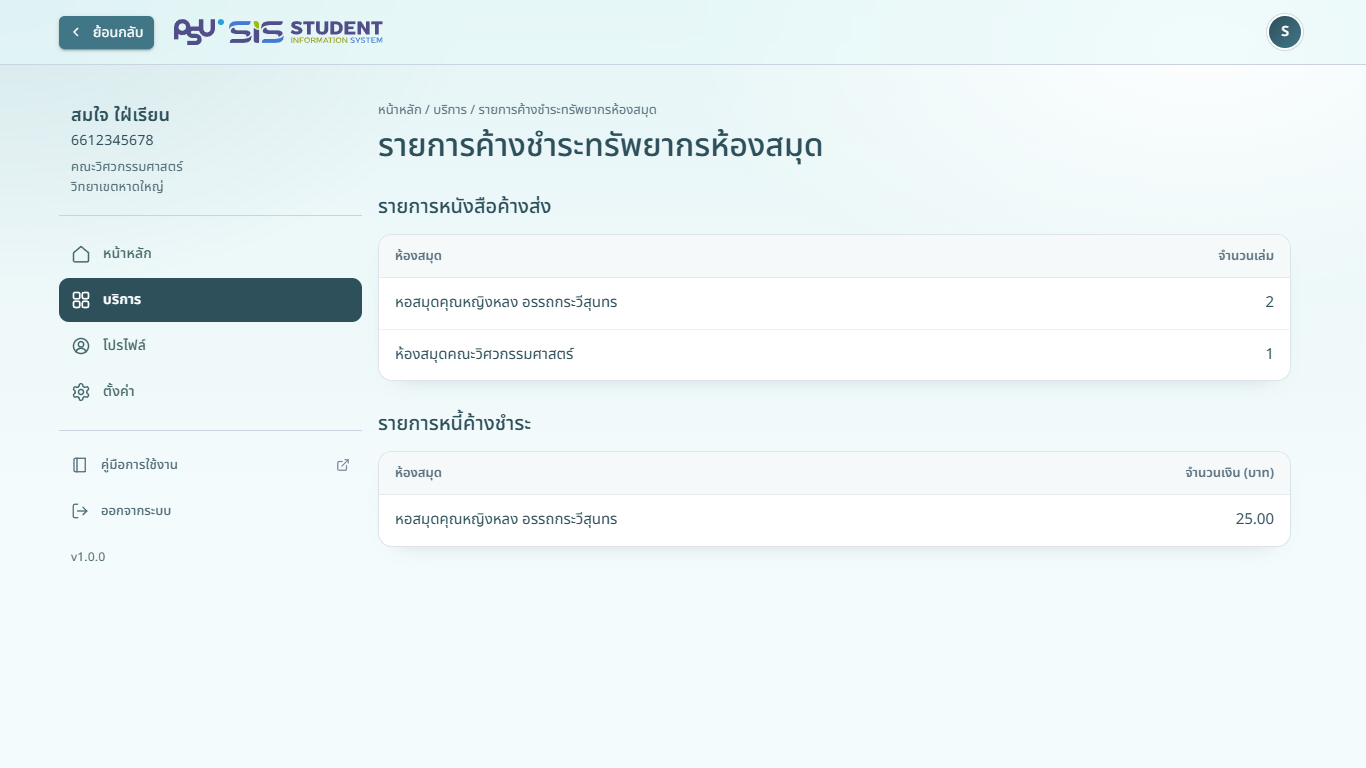
คอมพิวเตอร์
{% endcolumn %}
{% column width="34%" %}
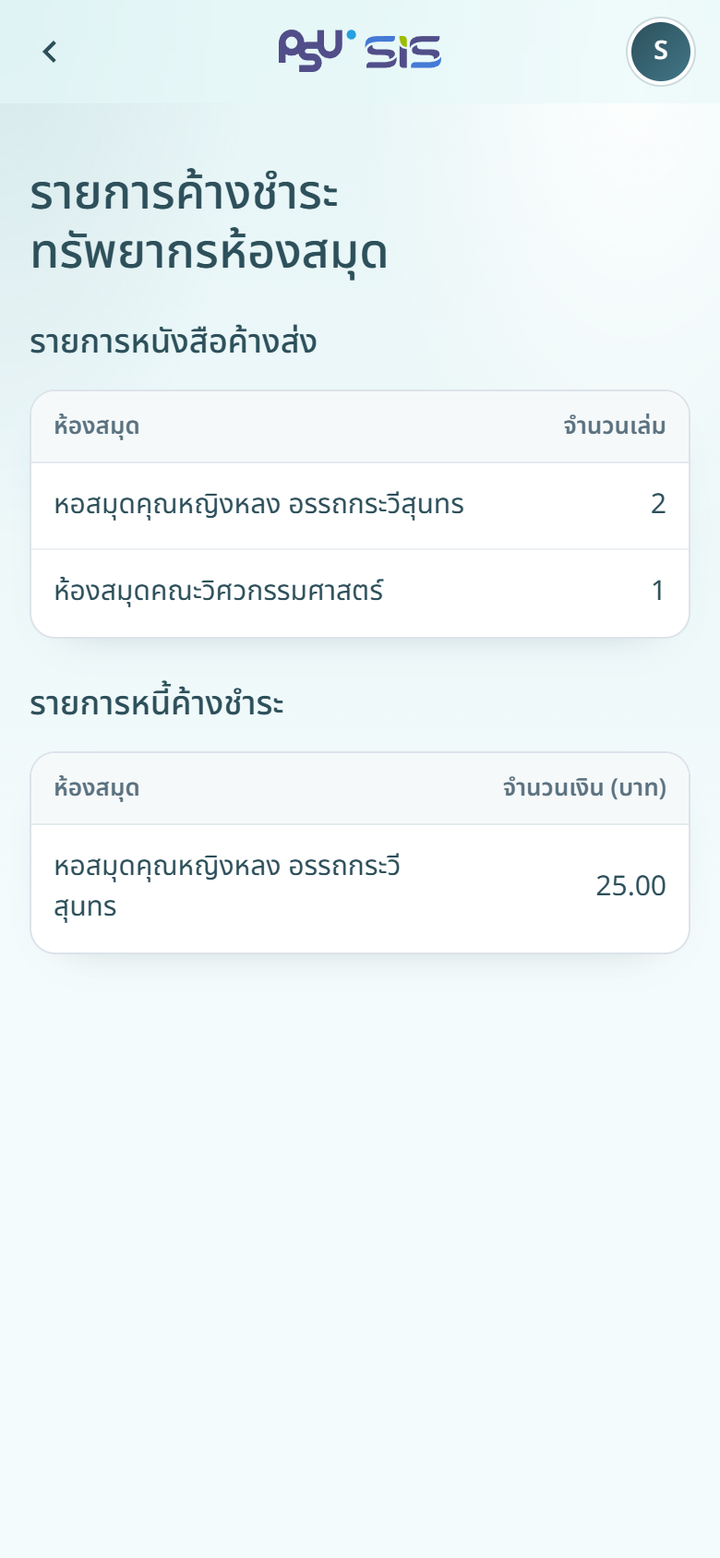
มือถือ
{% endcolumn %}
{% endcolumns %}
หากไม่มีอะไรค้าง หน้าจอแสดง **ไม่มีรายการค้างกับห้องสมุด**
{% hint style="info" %}
หน้านี้ใช้ดูอย่างเดียว ส่งคืนหนังสือหรือชำระเงินที่ห้องสมุดโดยตรง
{% endhint %}