> For the complete documentation index, see [llms.txt](https://psu-sis-team.gitbook.io/sis/llms.txt). Markdown versions of documentation pages are available by appending `.md` to page URLs; this page is available as [Markdown](https://psu-sis-team.gitbook.io/sis/manual/en/services/contacts.md).
# Contact the Registrar
See the address, phone number and email of the Registrar's Office at each campus. You can open the same details from two pages, one before and one after you sign in.
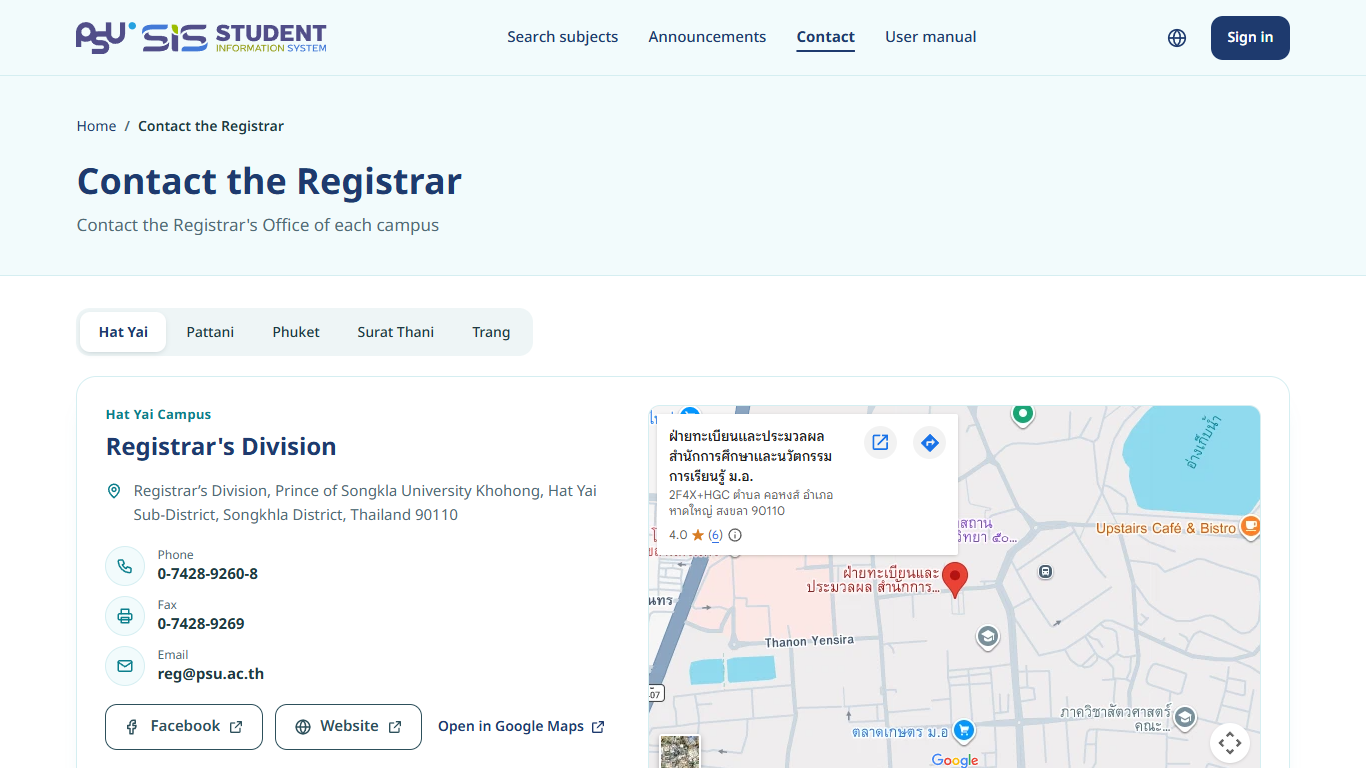
## Before you sign in
1. Open the SIS front page.
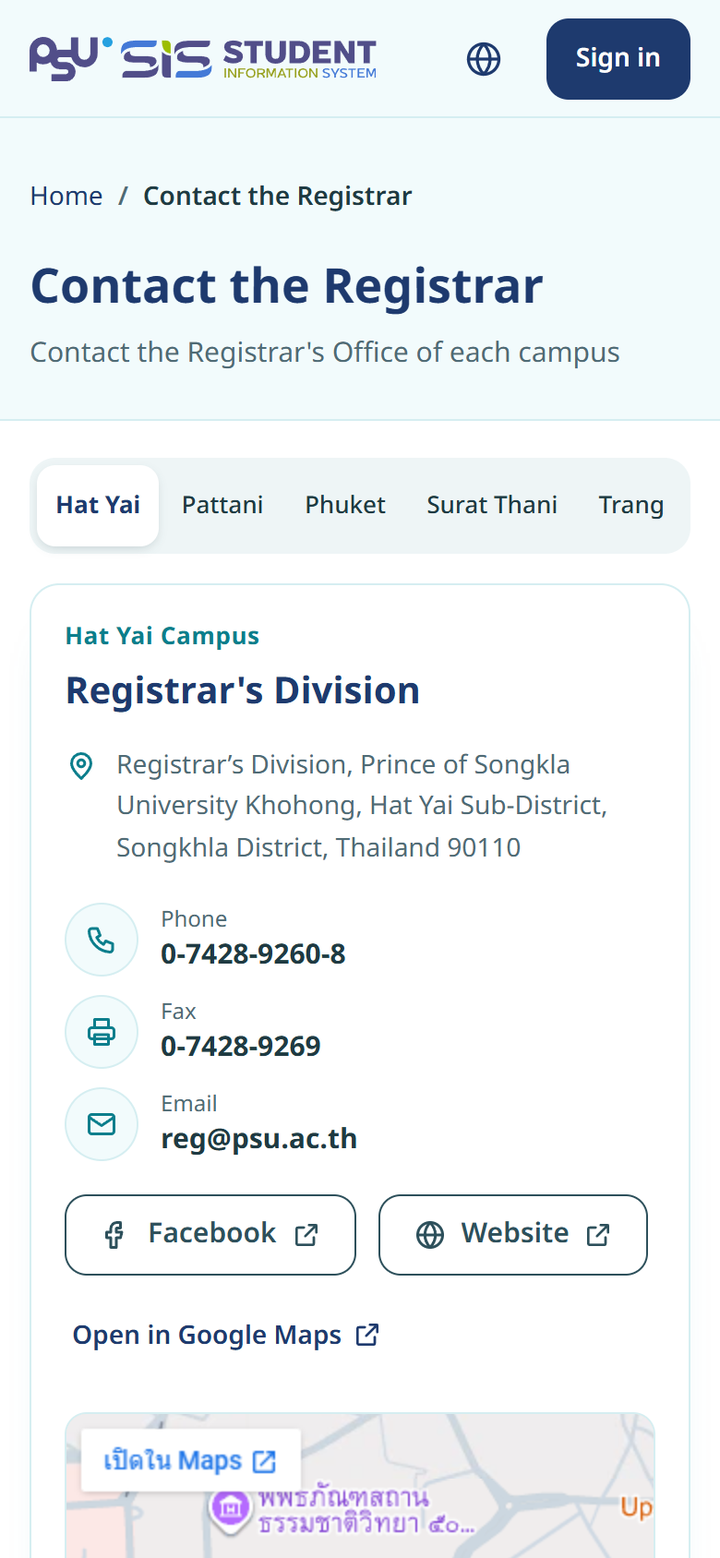
2. Tap **Contact** at the top, or **Contact each campus Registrar's Office** at the bottom.
3. On the **Contact the Registrar** page, tap a campus in the bar at the top, such as **Hat Yai** or **Pattani**.
4. The address, **Phone**, **Fax**, **Email**, the **Facebook** and **Website** buttons and a map show for that campus.
{% columns %}
{% column width="66%" %}
Desktop
{% endcolumn %}
{% column width="34%" %}
Mobile
{% endcolumn %}
{% endcolumns %}
* Tap the phone number to call.
* Tap the email address to open your email app.
* Tap **Open in Google Maps** for directions.
## After you sign in
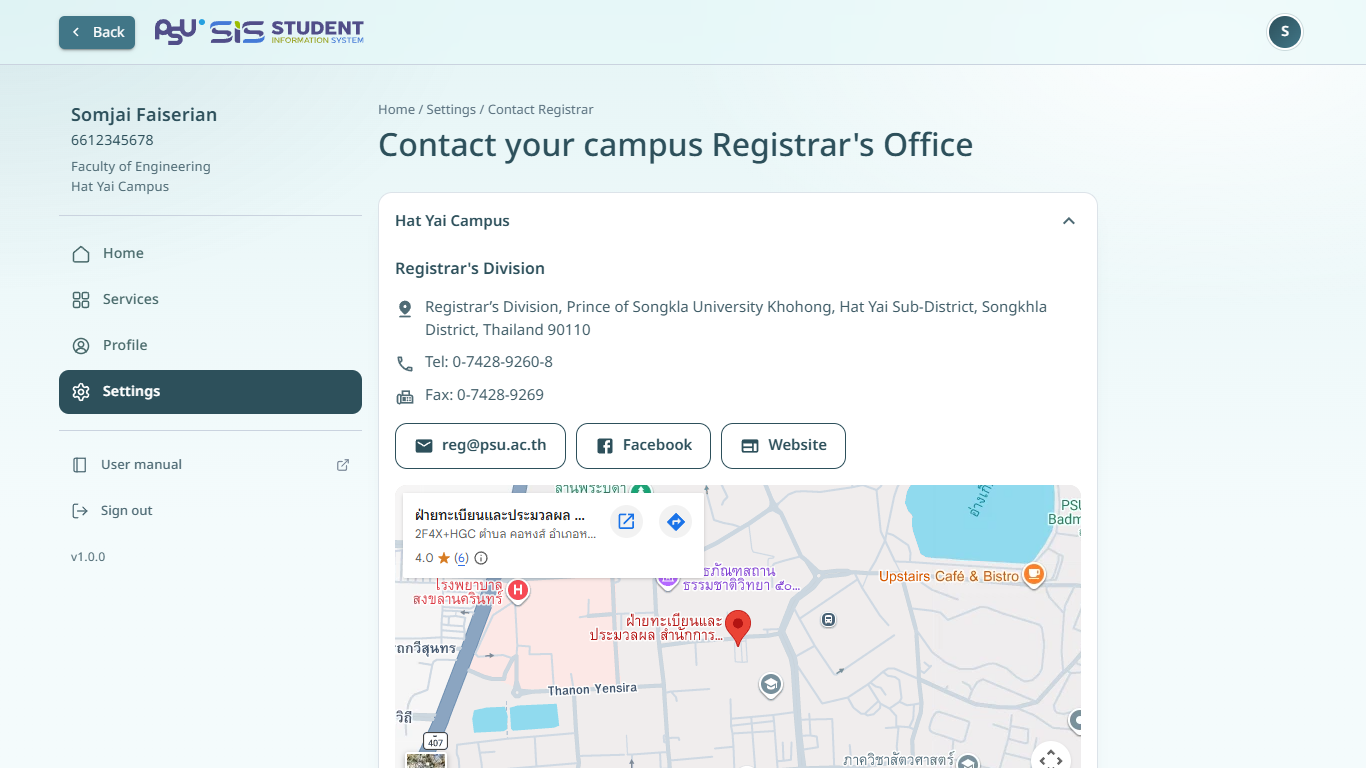
1. Open the ☰ menu and tap **Settings**.
2. Tap **Contact the Registrar's Office**.
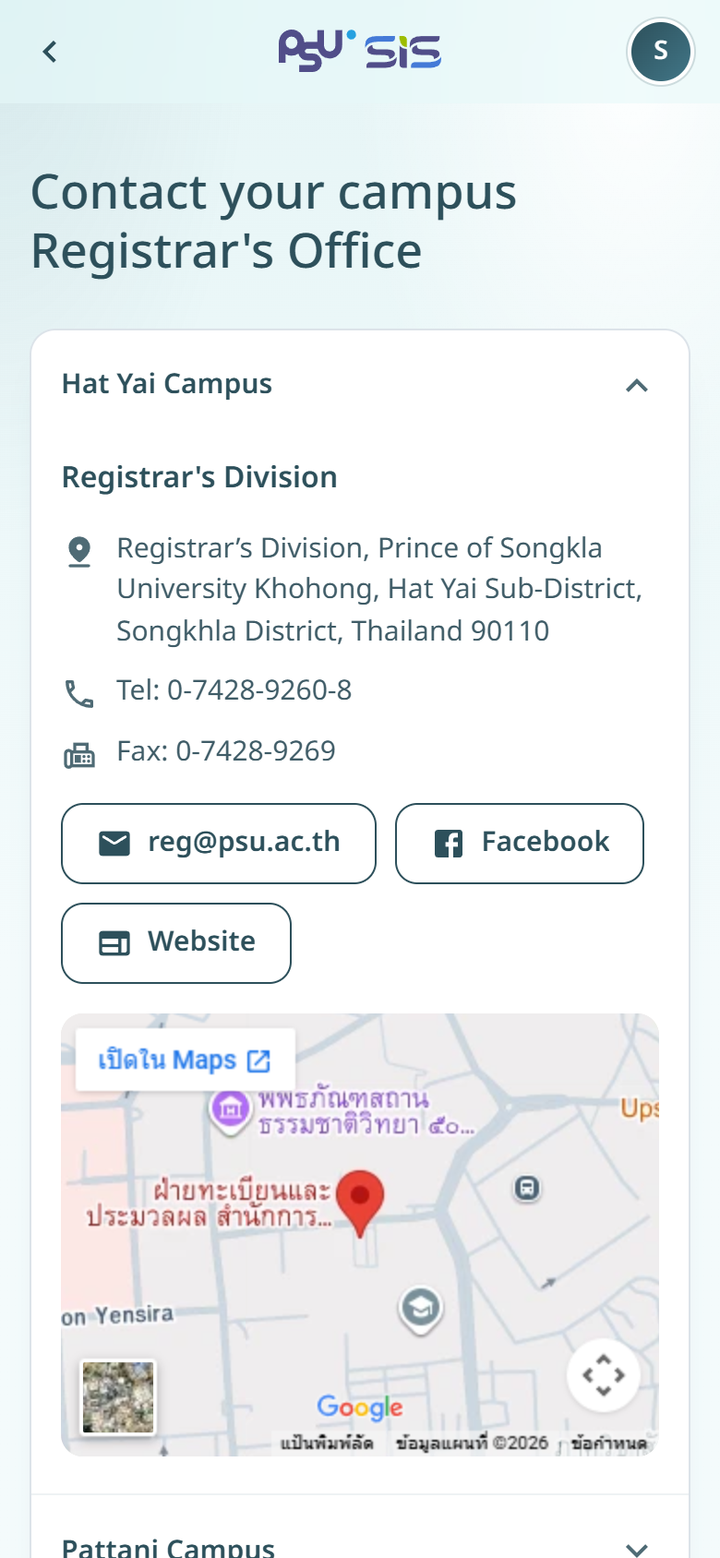
3. The **Contact your campus Registrar's Office** page lists the campuses.
4. Tap a campus to open its details.
{% columns %}
{% column width="66%" %}
Desktop
{% endcolumn %}
{% column width="34%" %}
Mobile
{% endcolumn %}
{% endcolumns %}
{% hint style="info" %}
For problems with the system itself, such as an error page, contact technical support as shown in [About and terms](/sis/manual/en/settings/about-and-terms.md).
{% endhint %}