> For the complete documentation index, see [llms.txt](https://psu-sis-team.gitbook.io/sis/llms.txt). Markdown versions of documentation pages are available by appending `.md` to page URLs; this page is available as [Markdown](https://psu-sis-team.gitbook.io/sis/manual/en/profile/edit-profile.md).
# Edit profile
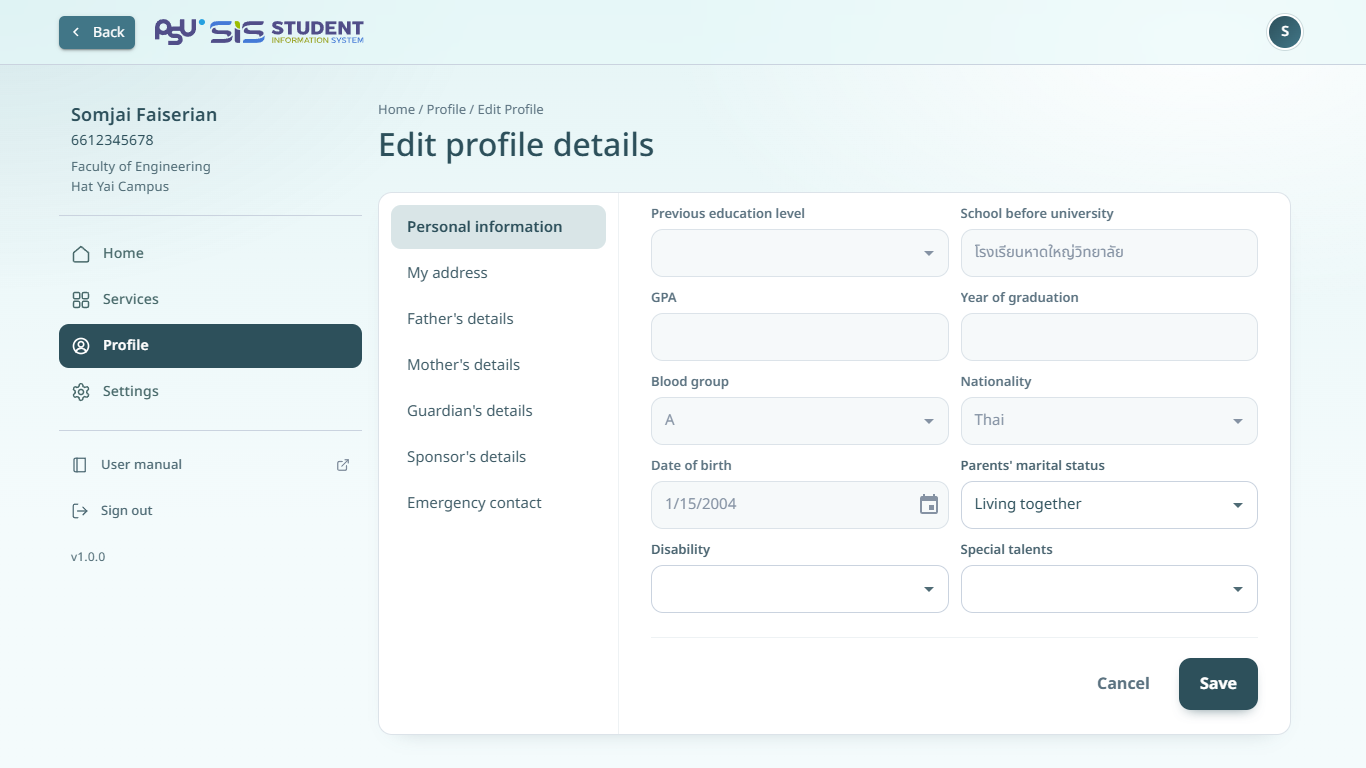
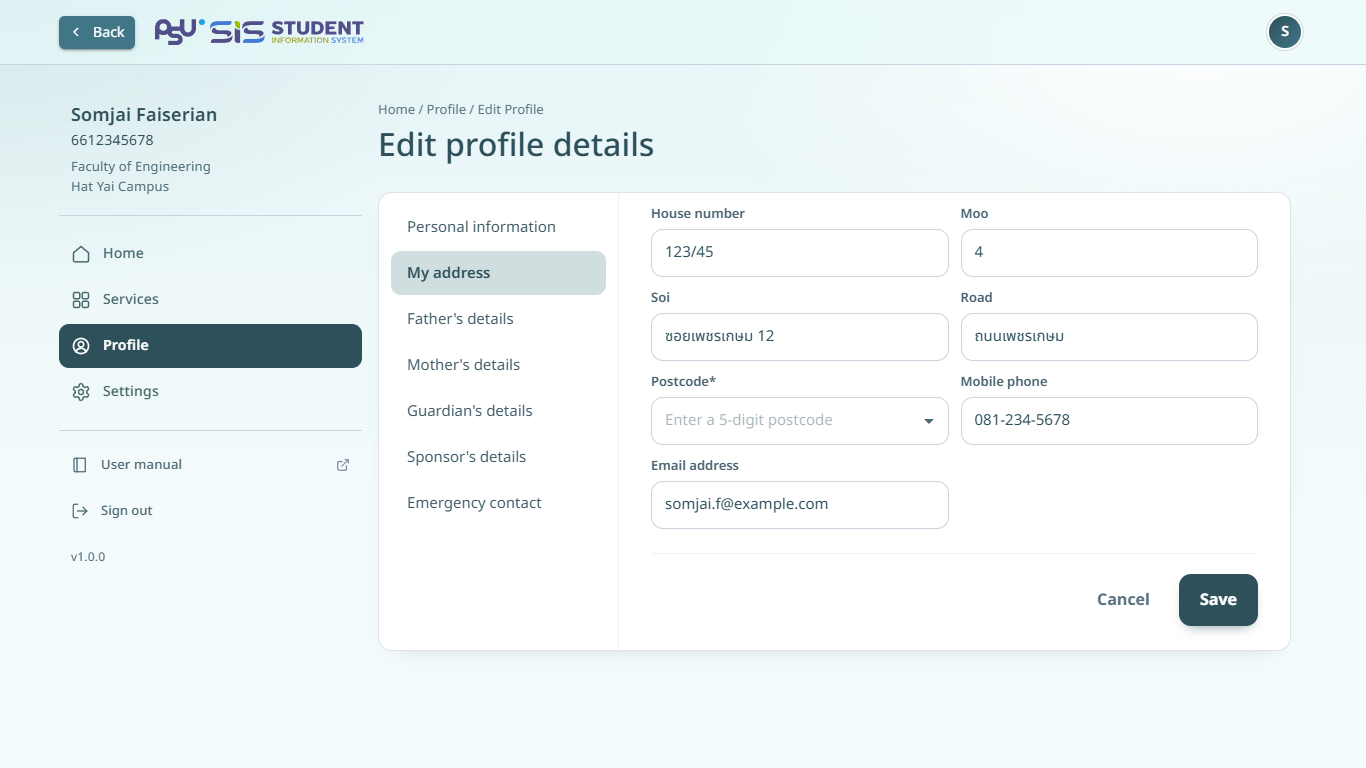
Edit your personal details, address and family details. This menu shows on your profile page when the system allows students to edit.
## Edit your details
1. Open your [profile](/sis/manual/en/profile/profile.md) and tap **Edit profile details**.
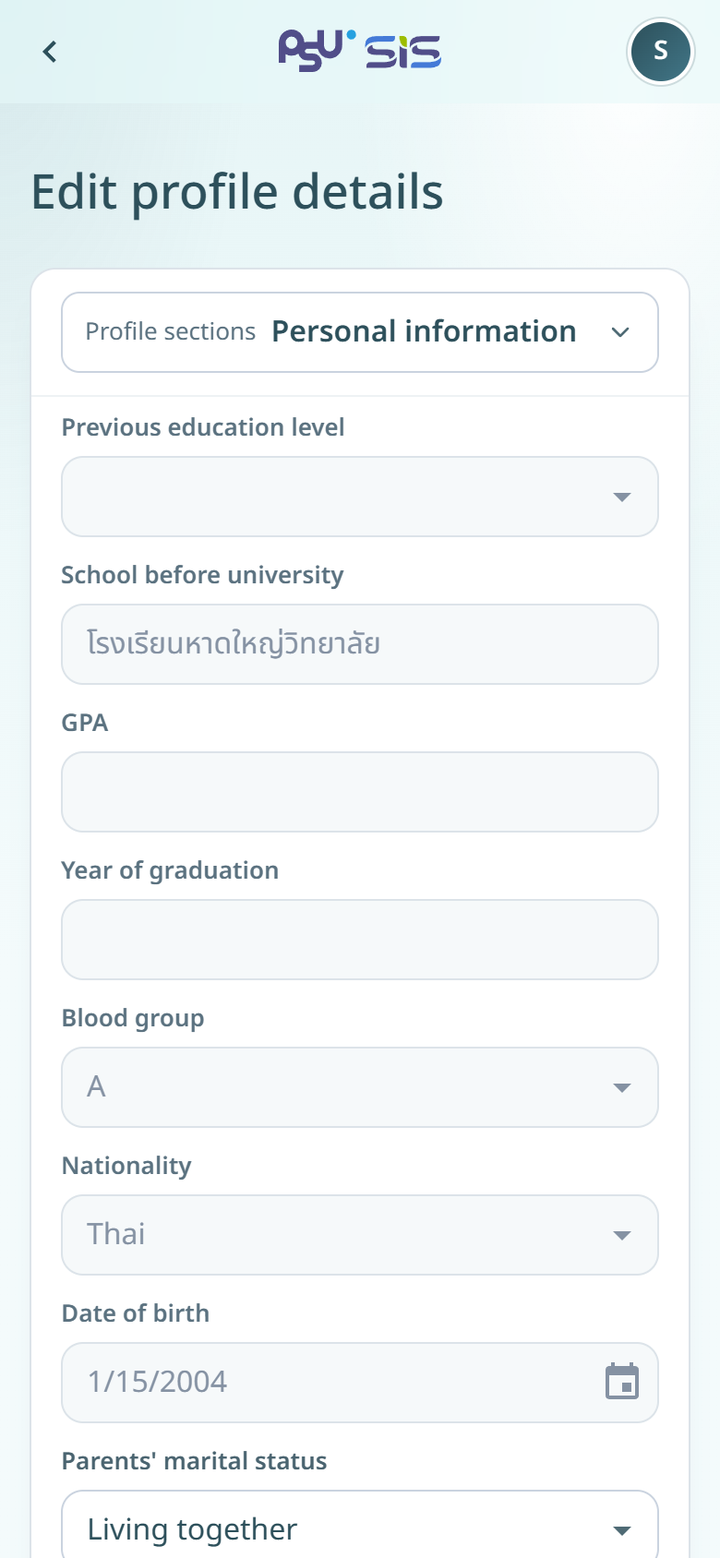
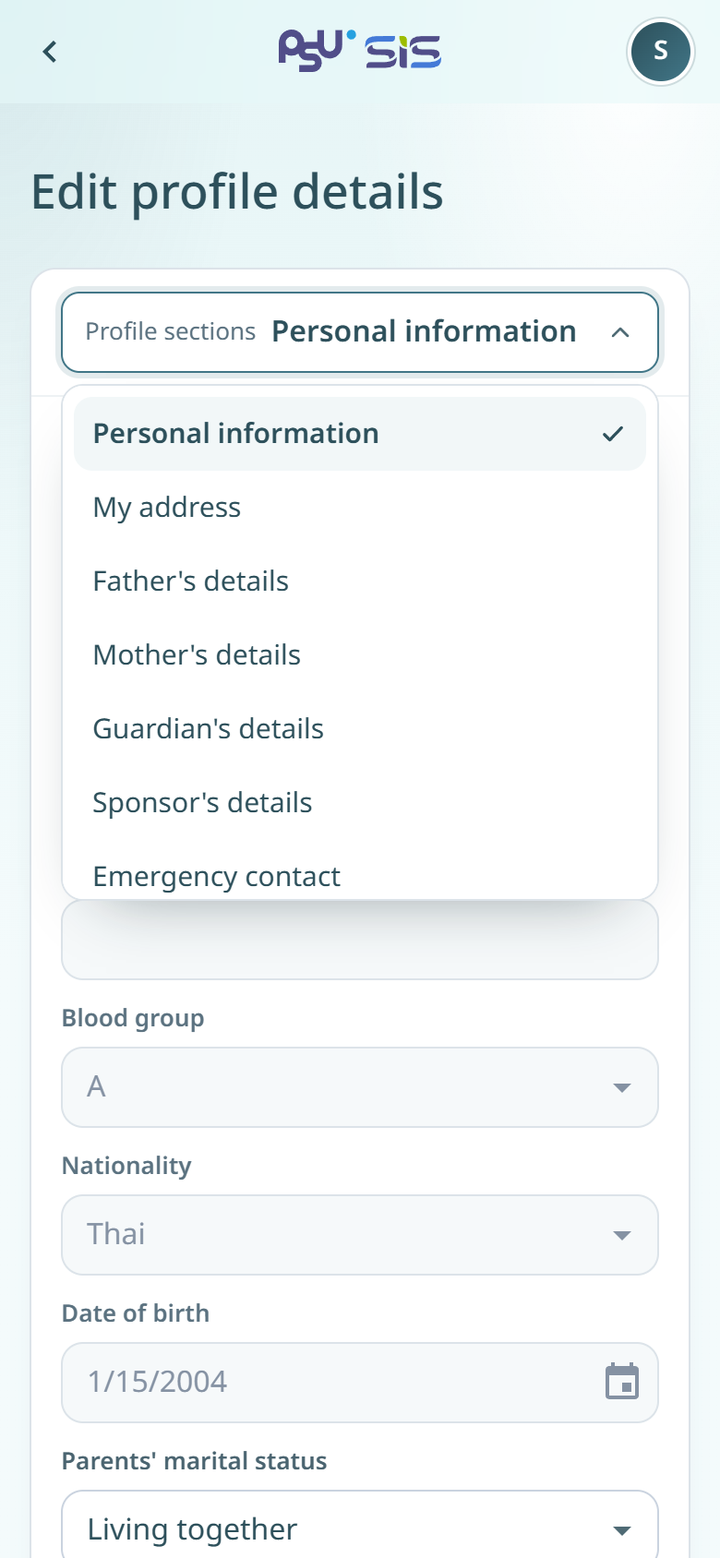
2. Tap the **Profile sections** field and choose the section to edit. On a computer, click the section in the list on the left.
3. Change the fields you want. Grey fields cannot be changed.
4. Tap **Save**.
5. The message **Saved successfully** shows and you go back to your profile.
{% columns %}
{% column width="66%" %}
{% endcolumn %}
{% endcolumns %}
{% hint style="warning" %}
Each section saves on its own. When you finish a section, tap **Save** before you move to another section. After you save, you go back to your profile. To edit another section, tap **Edit profile details** again.
{% endhint %}
Tap **Cancel** to drop your changes and go back to your profile.
## Messages you may see
* **บันทึกไม่สำเร็จ** (not saved). You go back to your profile. Tap **Edit profile details** and try to save again.
* **ไม่สามารถแก้ไขได้, เนื่องจากรอการถ่ายโอนข้อมูล** (cannot edit while your data is being transferred). The system has not finished transferring your record. Try again later.
* A field with a wrong value shows a warning under it. Fix the value and tap **Save** again.