> For the complete documentation index, see [llms.txt](https://psu-sis-team.gitbook.io/sis/llms.txt). Markdown versions of documentation pages are available by appending `.md` to page URLs; this page is available as [Markdown](https://psu-sis-team.gitbook.io/sis/manual/en/getting-started/menus.md).
# Menus and navigation
## The top bar
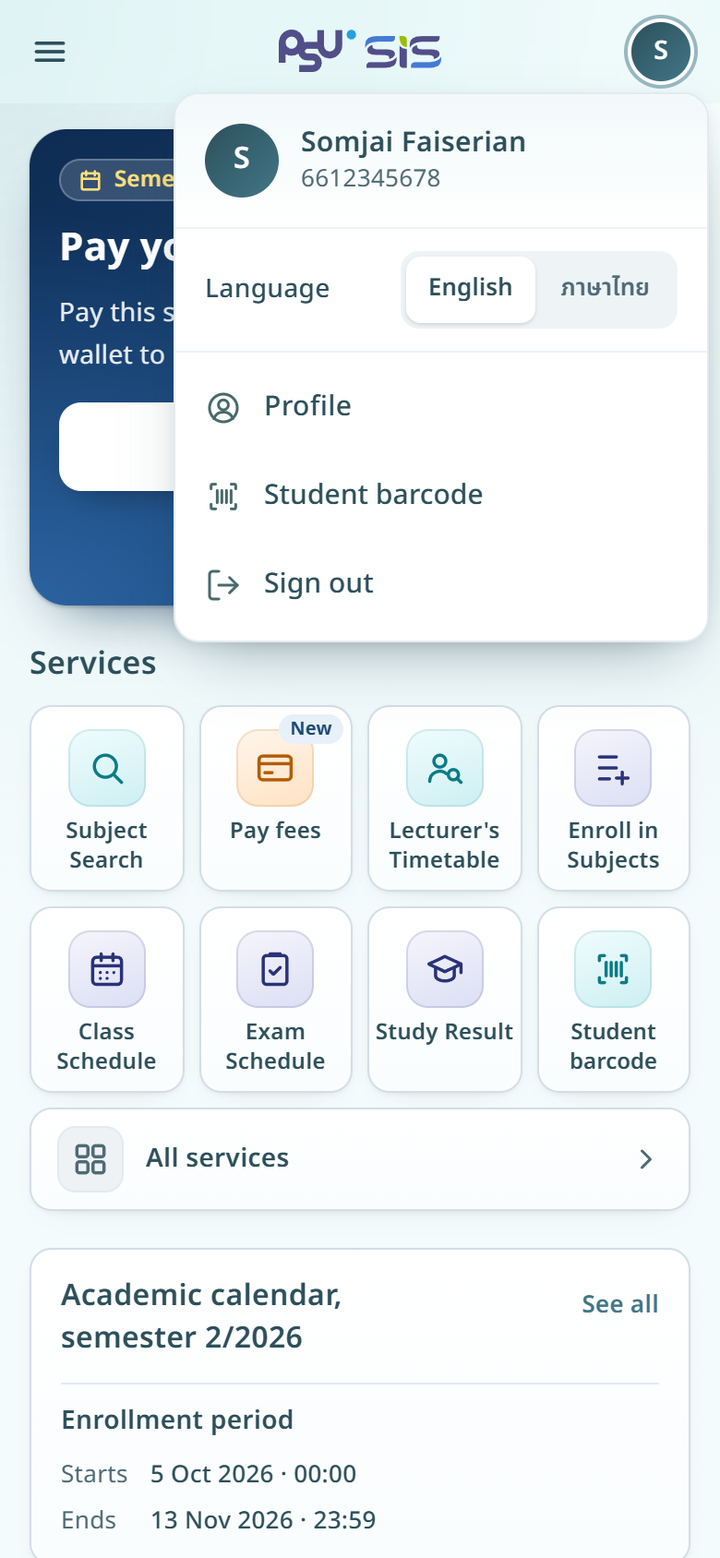
On a phone, every page has a top bar with three parts.
* Left. The ☰ button opens the main menu. On an inner page, this button is a back arrow instead.
* Centre. The SIS logo takes you back to the [home page](/sis/manual/en/getting-started/home.md).
* Right. A round avatar with the first letter of your name (**My account**).
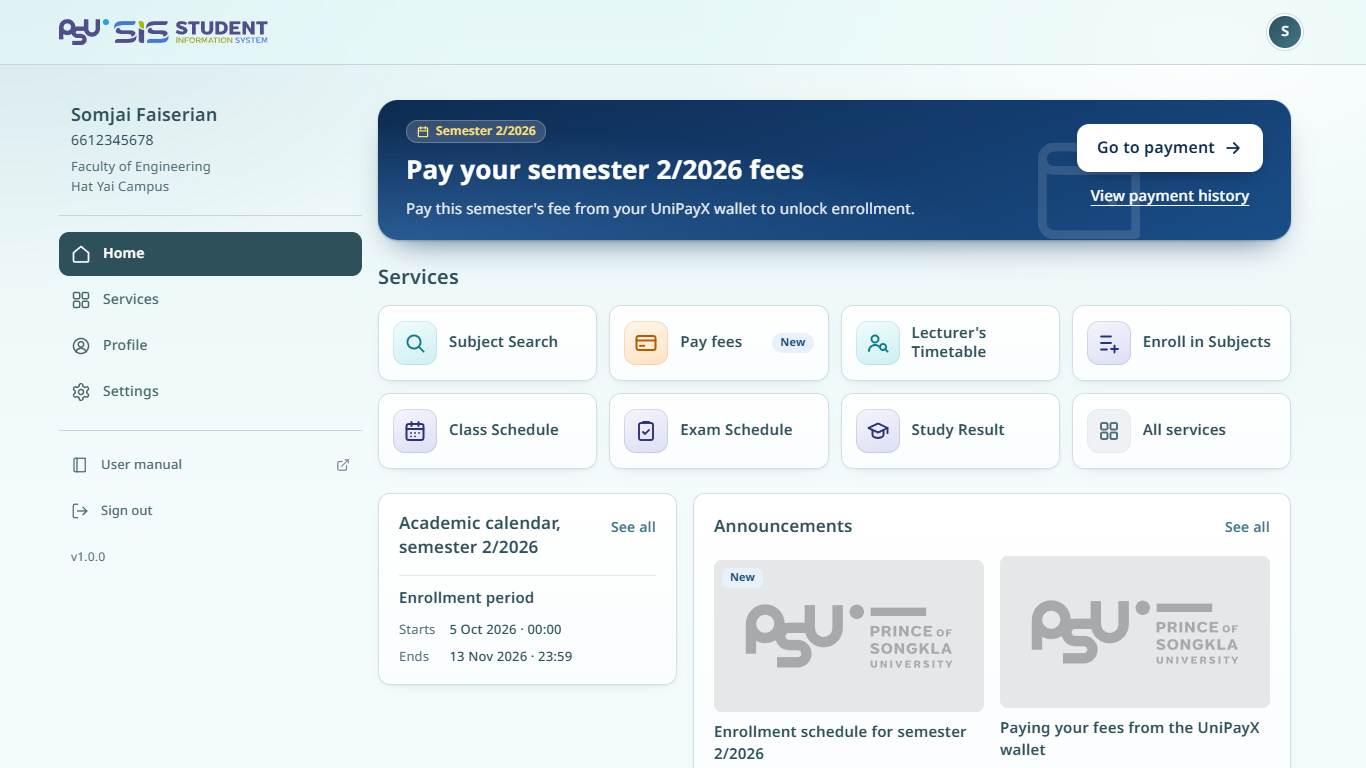
On a computer, the top bar shows the SIS logo on the left and the round **My account** avatar on the right. On an inner page, a **Back** button sits before the logo.
If you are listed at more than one campus, the campus name also shows next to the logo. See [Change campus](/sis/manual/en/settings/campus.md).
{% hint style="info" %}
The new website has no bottom menu bar. Every menu is under the ☰ button.
{% endhint %}
## The main menu
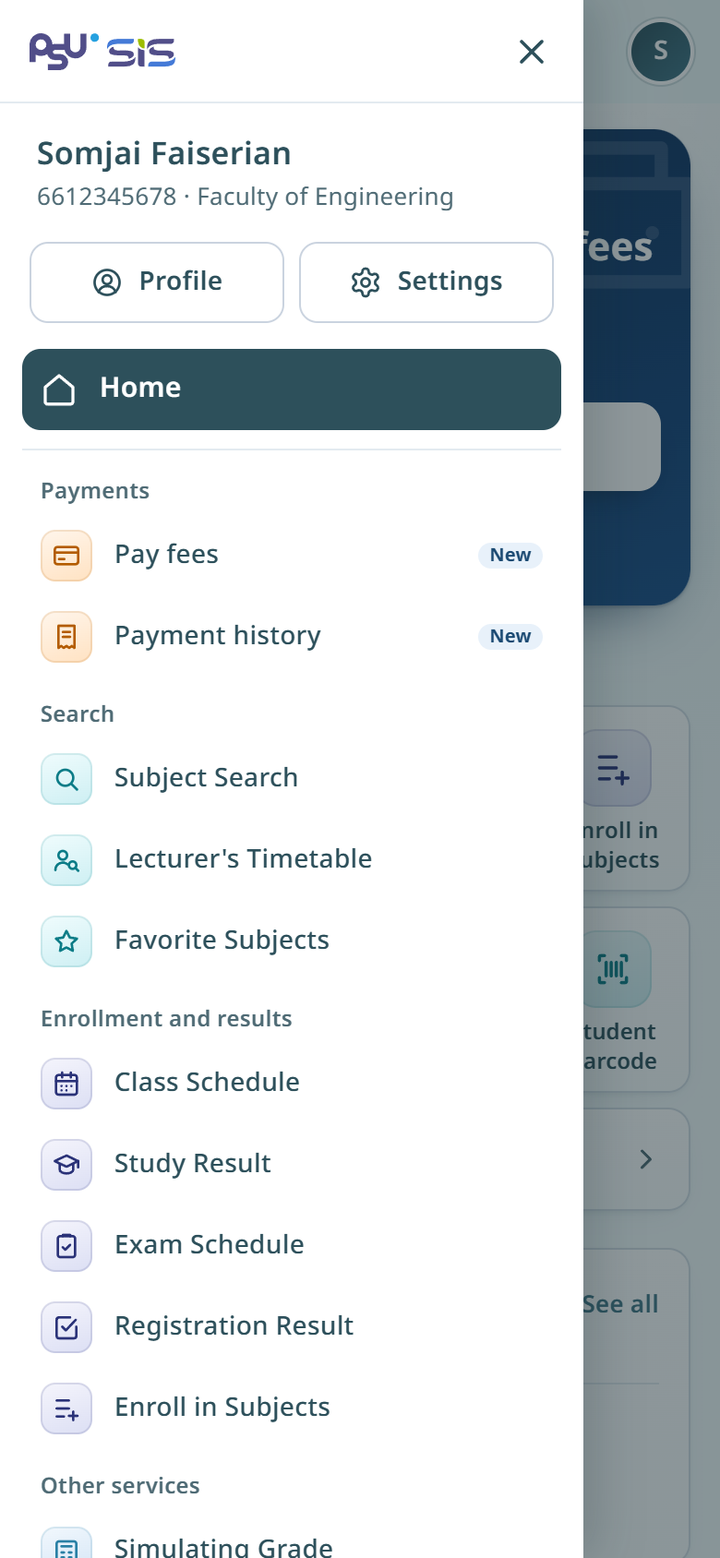
1. Tap ☰ at the top left. The menu slides in from the left.
2. Tap the item you want, or tap X to close the menu.
On a computer there is no ☰ button. The left side of every page always shows your name, student ID and faculty, and the menu items **Home**, **Services**, **Profile**, **Settings**, **User manual** and **Sign out**. Other services are on the **Services** page.
{% columns %}
{% column width="66%" %}
Desktop
{% endcolumn %}
{% column width="34%" %}
Mobile
{% endcolumn %}
{% endcolumns %}
The top of the menu shows your name, student ID and faculty. Below are the **Profile** and **Settings** buttons, then **Home** and the services in groups.
| Group | Menu item | Manual page |
| -------------------------- | ------------------------ | ---------------------------------------------------------------------------------- |
| **Payments** | **Pay fees** | [Paying fees](/sis/manual/en/payment/payment.md) |
| **Payments** | **Payment history** | [Payment history](/sis/manual/en/payment/payment/history.md) |
| **Search** | **Subject Search** | [Search for subjects](/sis/manual/en/enrollment/enrollment/search-subjects.md) |
| **Search** | **Lecturer's Timetable** | [Lecturer timetable](/sis/manual/en/study/lecturer-timetable.md) |
| **Search** | **Favorite Subjects** | [Search for subjects](/sis/manual/en/enrollment/enrollment/search-subjects.md) |
| **Enrollment and results** | **Class Schedule** | [Timetable](/sis/manual/en/study/timetable.md) |
| **Enrollment and results** | **Study Result** | [Grades](/sis/manual/en/study/grades.md) |
| **Enrollment and results** | **Exam Schedule** | [Exam schedule](/sis/manual/en/study/exam-schedule.md) |
| **Enrollment and results** | **Registration Result** | [Registration result](/sis/manual/en/enrollment/enrollment/registration-result.md) |
| **Enrollment and results** | **Enroll in Subjects** | [Enrollment](/sis/manual/en/enrollment/enrollment.md) |
| **Other services** | **Simulating Grade** | [Grade simulator](/sis/manual/en/study/grade-simulator.md) |
| **Other services** | **Academic Calendar** | [Academic calendar](/sis/manual/en/study/calendar.md) |
| **Other services** | **Library Summary** | [Library summary](/sis/manual/en/services/library.md) |
| **Other services** | **News** | [Announcements](/sis/manual/en/services/news.md) |
The menu items depend on university settings, so what you see can differ by campus or study level. For example, graduate students also see the [Thesis](/sis/manual/en/study/thesis.md) menu.
* A **New** badge marks a service that has just opened.
* A **Closed** badge marks a service you cannot use for now.
* Items under **External services** open other university systems in a new tab.
At the bottom of the menu are **User manual**, which opens this manual in a new tab, and **Sign out**.
## The My account menu
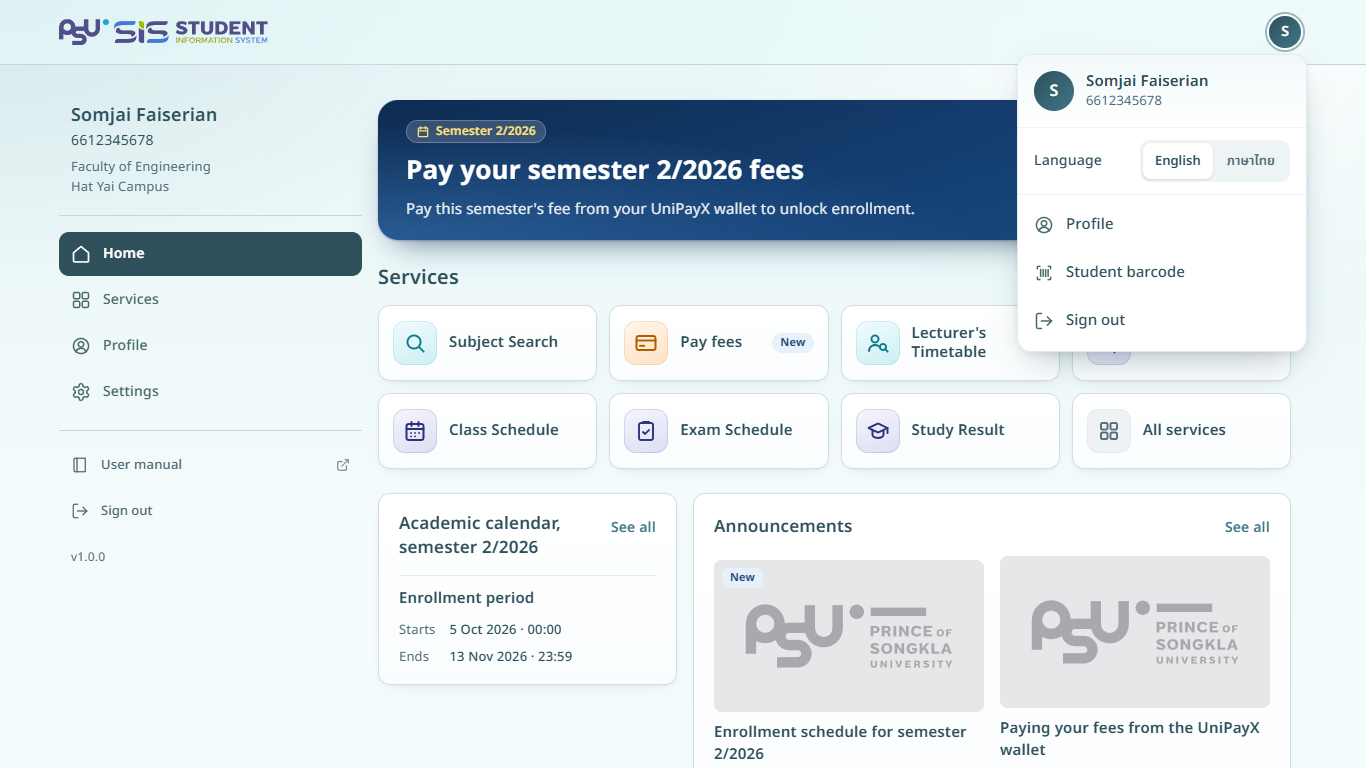
1. Tap the round avatar at the top right.
2. Choose an item.
* **Language**. Tap **English** or **ภาษาไทย** to switch language at once.
* **Profile** opens your [profile](/sis/manual/en/profile/profile.md).
* **Student barcode** shows your student barcode.
* **Sign out**.
{% columns %}
{% column width="66%" %}
Desktop
{% endcolumn %}
{% column width="34%" %}
Mobile
{% endcolumn %}
{% endcolumns %}
## Other buttons in the main menu
* **Profile** opens your [profile](/sis/manual/en/profile/profile.md).
* **Settings** opens the **Settings** page. See [Language](/sis/manual/en/settings/language.md), [Change campus](/sis/manual/en/settings/campus.md) and [About and terms](/sis/manual/en/settings/about-and-terms.md).